
User Manual Example: Real Samples, Core Sections, and What Makes Them Work
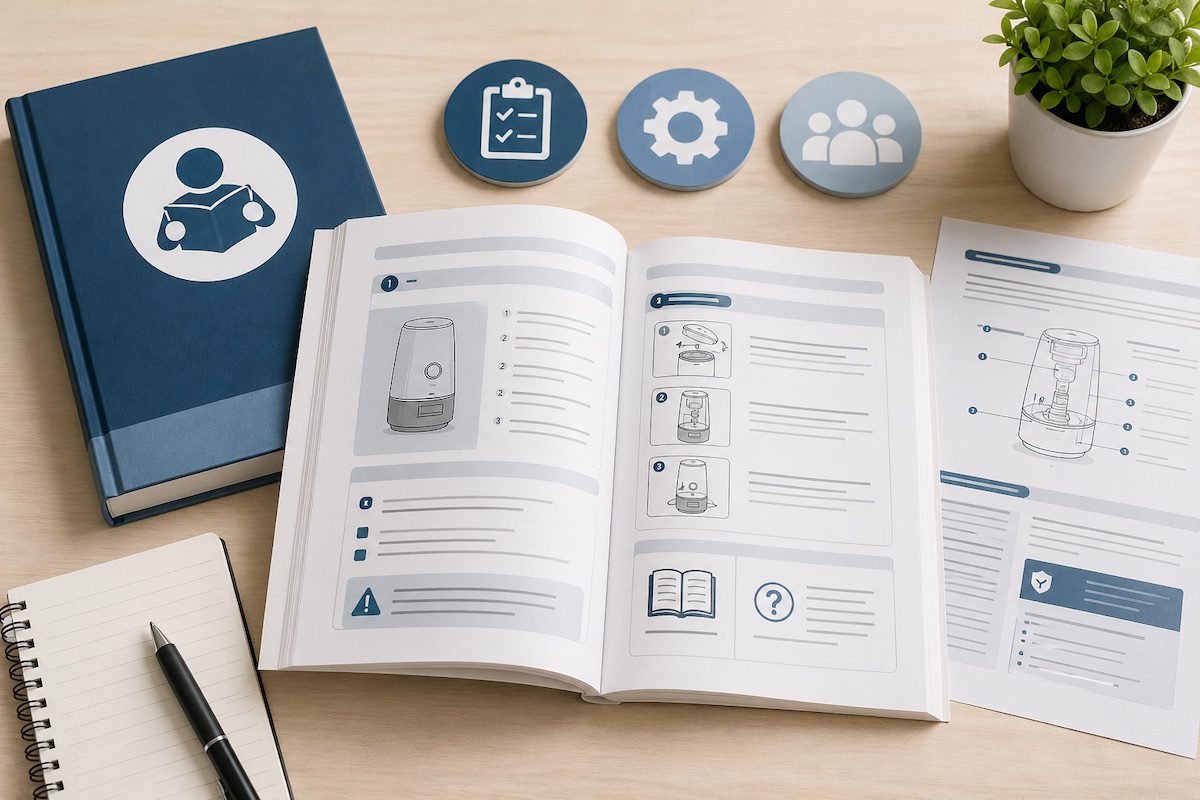
A clear user manual example is the fastest way to understand what good product documentation looks like before you sit down to write your own. Most manuals get skimmed, abandoned, or quietly ignored. The ones that get read, and that actually reduce support tickets, share a consistent set of qualities: clear structure, plain language, useful visuals, and content built around the way people actually use a product.
In this guide, the team at The Write Direction walks through the anatomy of a strong user manual section by section, shares examples organized by manual type, and breaks down the writing principles that separate forgettable manuals from the ones companies use as benchmarks.
What Is a User Manual?
A user manual is a document that explains how to set up, operate, troubleshoot, and maintain a product or system. You will hear it called several other names depending on the industry, including instruction manual, user guide, owner’s manual, product documentation, and end-user documentation.
The purpose stays the same across every label. A good manual reduces support volume, speeds up onboarding, helps users get full value from the product, and meets any regulatory requirements that apply. In regulated sectors, manuals are not optional. Standards such as IEC/IEEE 82079-1 and product safety legislation in the EU and US specify what manuals must contain.
User manuals appear in print, as PDFs, on product packaging, and increasingly as searchable online help centers. Modern teams favor digital formats because they are easier to update, easier to search, and easier to measure.
Anatomy of a User Manual: Core Sections With Examples
Every solid user manual example, regardless of industry, contains a recognizable set of building blocks.
Title page and product identification
Lists the product name, model or version number, manufacturer, and publication date. A smart thermostat title page might read: “ClimateOne Pro Smart Thermostat, Model CT-200, User Manual, Revision 3.2.”
Table of contents
A clickable or page-numbered map of the manual. Users rarely read top to bottom, so this is where most readers start. Keep entries descriptive (“Replacing the filter”) rather than vague (“Maintenance”).
Introduction and intended use
A short opening that explains what the product is, who it is for, and what conditions it is designed to operate under. Most regulatory bodies expect a clear intended use statement here.
Safety warnings and compliance information
Standardized warnings (Danger, Warning, Caution, Notice) flagged with consistent symbols, plus any regulatory marks. The Society for Technical Communication publishes guidance on consistent safety message formatting that many manufacturers follow.
Quick start guide
The shortest path to first use. For a coffee maker: unbox, rinse the carafe, fill the reservoir, insert a filter, plug in, brew. Five steps, ideally with one image per step.
Step-by-step operating instructions
The body of the manual. Each procedure should have a clear goal, numbered steps, imperative verbs, and an expected result.
Features and functions reference
A more detailed breakdown of every button, menu, setting, or feature. This is the part power users return to most often.
Troubleshooting
A symptom-and-fix layout works well. Example: “LED is flashing red. Cause: low battery. Solution: replace the two AA batteries in the rear compartment.”
Glossary, specs, and support
Closing sections that define acronyms, list dimensions and power requirements, and tell users how to reach support and register the product.
User Manual Examples by Type
Different products call for different manual formats. Here is what each type looks like in practice.
Instruction manual example (consumer products)
A coffee maker booklet that walks owners through unboxing, first brew, daily use, descaling, and warranty registration. Heavy on visuals, low on jargon.
Software user guide example
A SaaS help center with sections for getting started, feature documentation, integrations, API references, and troubleshooting. Stripe, Notion, and Anthropic publish well-known examples that pair conceptual guides with task-based how-tos.
Quick start guide example
A single-card or single-page summary that ships with the product. Often four to eight steps, designed to get someone running in under five minutes.
Training manual example
An internal document that teaches new hires a process or role. A point-of-sale training manual might cover system overview, opening procedures, transaction handling, end-of-day reports, and common errors.
Maintenance and service manual example
A technical document for engineers and repair technicians. Includes torque specifications, exploded-part diagrams, fault codes, and scheduled maintenance intervals.
Personal user manual example
A short document people share with their team that describes how they work best. Sections often include communication preferences, working hours, feedback style, and quirks. These are increasingly common in remote and hybrid teams.
What Separates a Great User Manual From a Forgettable One
The writing principles below show up in almost every user manual companies cite as a benchmark.
Task-oriented writing leads. Each procedure starts with a verb and tells the reader what they will achieve. Active voice keeps sentences short. Headings describe content rather than gesture at it.
Visuals carry weight, with annotated screenshots, line drawings, or short videos placed next to the steps they support. Plain language replaces jargon wherever possible, and unavoidable technical terms are defined in a glossary. Numbering, callout boxes, and consistent formatting let readers scan rather than read. The federal Plain Language Action and Information Network maintains guidelines that apply just as well to product documentation as they do to government writing.
Iconic examples worth studying include IKEA’s wordless assembly diagrams, LEGO’s pictorial build guides, Apple’s onboarding flows, and Stripe’s API documentation. Each one reflects deep thinking about who the reader is and what they need to do next.
How to Write a User Manual That Users Actually Read
The process is not complicated, but it does require discipline.
Start by defining your audience and their experience level. Map the user journey from first contact with the product through advanced use, and decide which steps need documentation.
Use a consistent style guide for tone, terminology, and formatting. Purdue’s Online Writing Lab offers a strong primer on technical writing fundamentals that any documentation team can apply. Test every procedure with a first-time user, ideally someone who has never seen the product before. Update the manual every time the product changes. A manual that drifts out of sync with the product is worse than no manual at all.
For a wider look at the document categories that sit alongside user manuals, our guide to the types of documents businesses rely on covers the full landscape.
Frequently Asked Questions
How do you write a user manual?
Identify your audience, outline every task they need to perform, and write each procedure as a numbered list of imperative-verb steps. Add visuals, troubleshooting tips, and a glossary. Test the manual with someone who has never used the product, revise based on their feedback, and update it whenever the product changes.
What are the main parts of a user manual?
A typical user manual includes a title page, table of contents, introduction, safety warnings, quick start guide, step-by-step instructions, feature reference, troubleshooting section, FAQs, glossary, technical specifications, and warranty or support information. Smaller products may combine sections, while regulated industries usually add compliance pages.
What is the difference between a user manual and a user guide?
The two terms are used interchangeably in most industries. When a distinction is drawn, a user manual tends to be the comprehensive document covering safety, maintenance, and full operation, while a user guide focuses on day-to-day tasks and feature walkthroughs. Software companies tend to favor “user guide” or simply “documentation.”
What is a good example of a user manual?
Apple product manuals, IKEA assembly instructions, LEGO build guides, and Stripe’s developer documentation are widely cited as benchmarks. Each one is built around clear task structure, strong visuals, and writing pitched at the right level for its audience.
How long should a user manual be?
Length depends on product complexity. A simple consumer gadget may need eight to twelve pages, while industrial equipment can run into the hundreds. The right length covers every realistic user task and required compliance content, with no padding.
What is a personal user manual at work?
A personal user manual is a short document where someone describes their preferred working style, communication channels, feedback preferences, and quirks. Teams use them to reduce friction, especially in remote or cross-functional settings.
Conclusion
A strong user manual example pays for itself in fewer support tickets, faster onboarding, and happier customers. The structure is well established. The difference between a manual that goes unread and one your customers actually use comes down to how the content is written.
At The Write Direction, we work with product, marketing, and operations teams to plan, draft, and edit user manuals, instruction guides, and full knowledge bases that hold up under real-world use. If you are starting from scratch, modernizing an outdated PDF, or building out an online help center, we can help. Book a consultation call or email us at [email protected] to get started.

Related posts

Recent Posts