
Types of Document Verification: Methods, Standards, and How to Pass Them
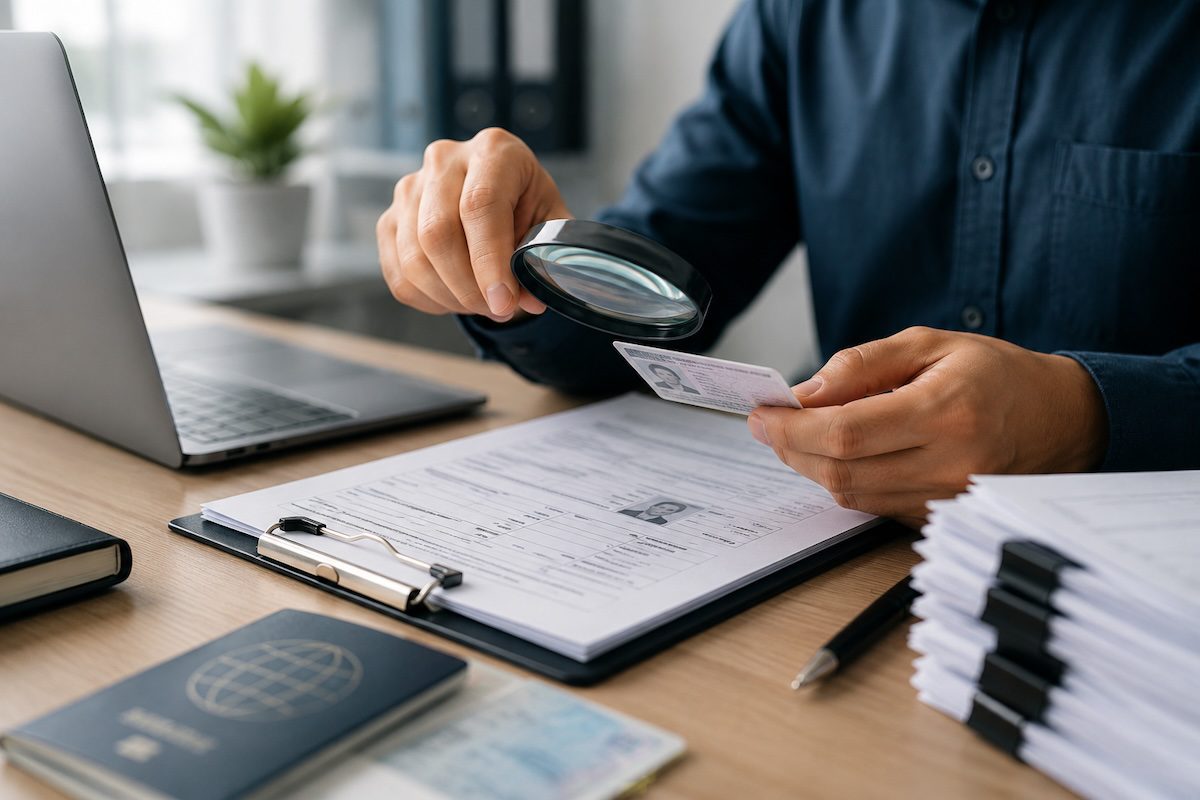
The types of document verification split along two axes: the method a checker uses, and the category of document under review.
Methods run from manual inspection through automated scanning, biometric matching, database lookups, cryptographic chip reads, and legal authentication such as notarization and apostille. Categories cover identity, address, financial, educational, corporate, and employment eligibility records.
Most guides fold the two axes into one list. That matters if you sit on the submitting side, filing a bid, a license application, a credential package, or a corporate registration. You need to know what a checker will test before you hand anything over. For classification by purpose and format rather than authenticity, see our guide to the types of documents.
Key Takeaways
- Verification methods and document categories are separate taxonomies. Confusing them is why submissions get rejected for reasons the sender did not anticipate.
- No single method proves everything. Checkers layer methods because each one leaves a different gap.
- Confirmation with the issuing source outranks any visual or automated inspection.
- Legal authentication, including notarization, apostille, and consular legalization, is a verification path that no software performs.
- Most rejected documents are authentic. They fail on name mismatches, missing document control, expired currency, and wrong signatories.
What Document Verification Confirms
Document verification confirms that a document is genuine, unaltered, current, and connected to whoever presents it. A checker can accept one of those claims while rejecting another.
NIST SP 800-63A supplies the clearest public model. It separates identity proofing into three stages. Resolution narrows the evidence to one unique person. Validation confirms the document is authentic and accurate. Verification binds that validated document to the live person presenting it.
NIST also grades evidence by strength, from weak through fair, strong, and superior. Evidence confirmed with its issuing source outranks evidence accepted on sight.
Three identity assurance levels then set how much evidence a transaction demands. IAL1 accepts self-asserted attributes with no proofing. IAL2 requires evidence supporting a real-world identity, plus a binding to the applicant through remote or in-person proofing. IAL3 adds supervised proofing and biometric comparison.
A utility bill and a passport are not interchangeable proof. A passport carries a machine-readable zone (MRZ), a named issuing authority, an expiry date, and layered security printing. A utility bill carries a name, an address, and a logo anyone can reproduce in an afternoon.
The PROVE Framework
Every verification method answers some combination of five questions. We call this the PROVE Framework at The Write Direction, and we run client documentation through it before anything goes out the door.
| Check | The question a verifier is asking | What satisfies it |
| Provenance | Who issued this, and will the issuer confirm it? | Issuing-source confirmation, registrar letters, certified copies, apostille |
| Resolution | Does it point to one unique person or organization? | Exact legal names, unique identifiers, matched addresses |
| Ownership | Does it belong to whoever is presenting it? | Biometric match, in-person comparison, authorized signatory |
| Validity | Is it current and still in force? | Unexpired dates, good-standing status, revision history |
| Evidence integrity | Has anything been altered? | Security features, tamper analysis, cryptographic seals |
No single method answers all five. Automated scanning tests integrity and extracts data, and it tells you nothing about ownership. A biometric selfie match proves ownership and says nothing about provenance. Checkers layer methods because the gaps sit in different places. That layering is why an authentic document still comes back rejected: it cleared one check and failed another.
Types of Document Verification by Method
Manual and Forensic Examination
A trained reviewer inspects the document itself: watermarks, holograms, microprinting, embossed seals, print quality, paper substrate, and the feel of the card stock. Forensic examiners, working in a discipline called questioned document examination, add ultraviolet and infrared light, magnification, and comparison against known specimens.
Manual review handles document designs software has never seen, and it moves at human speed. Reviewers also disagree: a hotel front desk clerk and a forensic examiner reach different conclusions about the same driver’s license. High-risk and unusual cases still route to a person, who can weigh context a model cannot.
Automated and AI-Assisted Verification
Software captures an image, then runs checks against it. Optical character recognition (OCR) extracts the printed text. MRZ decoding reads the encoded lines on passports and national ID cards. Template matching compares layout, fonts, and security-feature placement against a library of known designs. Edge detection looks for crops and splices. Colorspace analysis reads lighting and shadow for signs that someone photographed a photograph.
Automation delivers consistency and volume. It struggles with designs outside its training set, and it depends on image quality the submitter controls.
Biometric Verification and Liveness Detection
The system compares a live selfie or short video against the portrait on the document, then tests whether a live human supplied that image. Presentation attack detection (PAD) screens for printed photos, masks, and replayed video. Injection attacks bypass the camera altogether, feeding a synthetic image straight into the data stream, so checks that only analyze the captured frame miss them.
Biometric matching answers Ownership and stops there. It confirms the person holding the passport matches the passport photo. A flawless match on a forged passport still clears this check.
Database and Issuing-Source Verification
The checker queries an authoritative source: a motor vehicle registry, a corporate registry, a university registrar, a sanctions or politically exposed person list, a database of lost and stolen documents. Under the NIST model, confirmation with the issuing source raises evidence strength, because the body that created the document vouches for it.
This is the strongest single check available and the least universal. Coverage depends on the country, the document type, and whether the issuer maintains a system anyone can query.
Cryptographic and Chip-Based Verification
A modern ePassport carries an NFC chip holding a signed copy of the data printed on the page. A phone reads the chip, checks the digital signature against the issuing country’s certificate, and confirms nobody altered the contents.
Digital signatures on PDF documents work on the same principle. Verifiable credentials extend it to diplomas and professional licenses.
Cryptographic proof settles Evidence integrity with mathematics rather than judgment. A chip proves nothing when the document has no chip.
Legal Authentication: Notarization, Apostille, and Legalization
The methods above put a checker in front of a document. Legal authentication moves the check upstream: a competent authority certifies the document in advance, and the receiving party accepts that certification.
A notary confirms a signature. Beyond that, the 1961 Hague Convention created the apostille, a certificate attached by a designated authority that makes a public document issued in one member country valid in another.
For destinations outside the Convention, the document needs an authentication certificate, and the path runs through the issuing state, the U.S. Department of State, and the destination country’s embassy or consulate. Documents must be originals or certified copies bearing original seals, original signatures, and a date of issuance.
Anyone submitting a degree, a corporate record, or a background check for use abroad meets this path. No software performs it, and State Department processing runs from under two weeks by appointment to five weeks or more by mail. Build the lead time into your schedule.
Which Verification Type Proves What
The last column is your task list.
| Method | Proves | Leaves open | What you must supply |
| Manual and forensic | Evidence integrity, partial Ownership | Provenance, Validity | An unaltered original with legible security features |
| Automated scanning | Evidence integrity, Resolution | Ownership, Provenance | A clean, complete, well-lit capture |
| Biometric matching | Ownership | Provenance, Validity, Evidence integrity | A live capture and a document portrait that matches |
| Database and issuing-source | Provenance, Validity, Resolution | Ownership | Exact legal names and identifiers that match the registry |
| Cryptographic and chip | Evidence integrity, Provenance | Ownership | A document with a chip or a valid digital signature |
| Legal authentication | Provenance, Validity | Ownership, Evidence integrity at point of use | An original or certified copy with original seals and a date of issuance |
A verifier running database checks will reject a submission over a legal name that differs from the registry by one word, no matter how clean the document is. Biometric matching will not save a stale corporate registration.
Types of Document Verification by Document Category
Identity Documents
Passports, driver’s licenses, national ID cards, and residence permits. These carry the richest security features and the deepest verification support: machine-readable zones, holograms, chips, and in many jurisdictions an issuing authority a checker can query. They anchor most onboarding flows because one artifact answers Resolution and Ownership together.
Address and Financial Documents
Utility bills, lease agreements, bank statements, tax returns, and pay stubs.
A bank statement is a formatted PDF with no watermark, no hologram, and no chip, which makes proof of address and proof of income the softest target in the stack. Serious checkers respond by moving off document review toward issuing-source confirmation and direct bank connections.
Educational and Professional Credentials
Diplomas, transcripts, licenses, and certifications. Verification runs through the issuing institution or the licensing body, because a printed transcript proves little on its own.
Employers and immigration authorities confirm with the registrar. Credentials headed abroad usually need an apostille as well, which puts this category into two verification paths at once.
Corporate and Vendor Documents
Articles of incorporation, business licenses, certificates of insurance, bonding, tax identification numbers, and beneficial ownership records. Banks call this know your business (KYB). Procurement calls it vendor onboarding.
Federal contractors meet it at SAM.gov. Before the system issues a Unique Entity ID (UEI), an organization must prove its legal business name and physical address through the Entity Validation Service. A failed match drops you into an incident queue with a document upload, and the documentation has to be current. P.O. boxes get rejected.
A registration that lapses during contract performance can stop work and hold up invoices. Companies chasing government contracts hit this gate before they write a word of a proposal. We treat entity documentation as part of the government RFP process, not an afterthought.
Employment Eligibility Documents
U.S. employers verify identity and work authorization on Form I-9 for every new hire. The form sorts acceptable documents into three lists.
List A documents, such as a U.S. passport or a Permanent Resident Card, establish identity and employment authorization together. List B establishes identity alone.
List C establishes work authorization alone. An employee presents one document from List A, or one from List B paired with one from List C.
The employer examines the documents and accepts them if they reasonably appear to be genuine and to relate to the person presenting them.
E-Verify then checks the recorded data against federal records. Employers cannot dictate which documents an employee presents, and doing so can amount to discrimination.
The systems named above are U.S. federal. The five PROVE checks travel. Canadian, provincial, and international bodies test the same five things under different names.
Why Documents Fail Verification
At The Write Direction, we prepare the documentation that lands on a verifier’s desk: bid packages, policy manuals, licensure submissions, credential files, and corporate records. Forgery accounts for a thin slice of the rejections we see. The rest fail on defects the sender could have fixed in an hour.
- Legal name drift. The incorporation certificate reads one way, the insurance certificate another, the bid cover page a third. Database verification matches strings. One stray “Inc.” breaks the match.
- No named issuing authority. A policy with no owner, no approving body, and no signature reads as a draft. Surveyors and auditors treat it as one.
- Missing document control. No version number, no effective date, no revision history. A reviewer cannot tell the current policy from a superseded one, so they assume the worst.
- The wrong signatory. Signed by whoever was in the office rather than the person with authority to bind the organization.
- Stale currency. The insurance certificate expired. The registration lapsed. The transcript predates a legal name change nobody documented.
- Uncertified copies. The requester asked for a certified copy and received a photocopy. Certified copy, notarized copy, and photocopy are three different instruments.
- Format non-compliance. The portal specified a file format, a page limit, or a signature type, and the package ignored it.
Each item on that list gets an authentic document rejected, and each is fixable before submission.
How to Prepare Documents That Pass Verification
Work backward from the five PROVE checks.
Fix the legal name once, then use it everywhere. Pull the exact legal name from the registry of record and carry that string across the package. Reconcile it against your tax identification number, your banking records, and your registration before you submit.
Build a document control block. Every governance document should carry a title, a version number, an effective date, a revision date, a named owner, and an approving body.
Put it where a reviewer finds it without hunting. That block answers Provenance and Validity at a glance. Our guide to policies and procedures sets out the structure.
Name the authority and route the signature. Identify who holds authority to approve or bind the organization, and get the document to that person. A signature block with a name, a title, and a date carries weight. An unsigned page carries none.
Track currency on a calendar. Insurance certificates, registrations, licenses, and accreditations expire on their own schedules. Audit them before every submission. One expired document invalidates a complete package.
Read the copy requirement. When a requester asks for a certified copy, send a certified copy. Substitution fails the check.
Map requirements to evidence. For any submission with a formal requirements list, build a compliance matrix. Tie each requirement to the document and page that satisfies it, then run a final pass against an RFP compliance checklist. The matrix surfaces gaps while you can still close them, and it gives the evaluator a clean path through your package.
This work costs less than a disqualified bid or a failed licensure survey. Treat it as compliance documentation discipline and the package clears.
Conclusion
At The Write Direction, we work on the submitting side of document verification every week. Our team writes the policy manuals that surveyors audit, the bid packages that procurement officers score, and the corporate documentation that registries validate.
Checkers are testing provenance, resolution, ownership, validity, and integrity, and the documents that fail are the ones whose authors did not ask those five questions first.
Your documentation may end up with a licensing body, a federal registry, an accreditor, or a client’s procurement team. Our diverse team of experts can help you build it so it holds up. We handle governance, risk, and compliance documentation end to end, from policy manuals through audit-ready evidence packages.
Book a consultation with our team, or email us at [email protected] and tell us what you need verified.
Frequently Asked Questions
What are the main types of document verification?
Verification types fall into two groups. By method: manual and forensic examination, automated scanning, biometric matching, database and issuing-source checks, cryptographic chip reads, and legal authentication such as notarization and apostille.
By document category: identity, address, financial, educational, corporate, and employment eligibility records.
What is the difference between document verification and identity verification?
Document verification confirms that a document is genuine, unaltered, and current. Identity verification confirms that a person is who they claim to be. Document verification is one input into identity verification.
Adding a biometric selfie match to a passport check turns the first into the second, because it proves the document belongs to the person presenting it.
How do you verify if a document is authentic?
Test five things: who issued it and whether the issuer will confirm it, whether it resolves to one unique person or organization, whether it belongs to the presenter, whether it remains valid and unexpired, and whether anyone altered it.
Confirmation with the issuing source carries the most evidentiary weight, which is why registrar letters and registry lookups outrank visual inspection.
What documents are commonly verified?
Passports, driver’s licenses, and national ID cards for identity. Utility bills and bank statements for address and income. Diplomas, transcripts, and professional licenses for credentials.
Articles of incorporation, business licenses, and certificates of insurance for vendor onboarding. Form I-9 List A, B, and C documents for U.S. employment eligibility.
Is manual document verification still necessary?
Yes, for high-risk and unusual cases. Automated systems handle volume and consistency, and they falter on document designs outside their training set and on poor image quality.
Trained reviewers weigh context that models miss. Mature programs combine both types of document verification, routing flagged or unfamiliar cases to a human reviewer.

Related posts

Recent Posts